Quick Answer: The best webinar platform is the one that supports your business model, integrates reliably with your marketing systems and makes it easy for prospects to move from registration to becoming clients.
For coaches and consultants, choosing webinar software involves much more than video quality or the number of attendees a platform can accommodate.
You need to consider how people register, how they receive access, whether they can watch at convenient times, how their behaviour is tracked and what happens after the presentation.
A platform might offer impressive webinar features but still create unnecessary complexity if it doesn't work properly with your CRM, email automation or booking process.
My recommendation is to choose your webinar platform based on your complete client acquisition process, not simply its feature list.
What You'll Learn
In this guide, you'll discover:
The difference between live, automated and on-demand webinar platforms
Seven essential features to evaluate
How popular webinar platforms differ
Why CRM integration and attendee tracking matter
What to consider when running paid webinars
How to compare platform costs
Common software selection mistakes
A practical checklist for making your decision
Why Your Webinar Platform Matters
A webinar platform is the technology that delivers your presentation to an audience.
But when you're using webinars to attract coaching or consulting clients, it becomes part of a much larger system.
That system may include:
Advertising or organic traffic
A webinar registration page
Registration confirmation
Email or messaging reminders
Webinar delivery
An offer or call to action
An application or booking process
Follow-up communication
CRM tracking and sales management
Your webinar platform needs to work reliably within this journey.
If a registrant doesn't receive their access link, they may never attend.
If the webinar doesn't communicate attendance information to your CRM, your follow-up may be inaccurate.
If the booking link doesn't work, interested prospects may never become qualified sales opportunities.
A successful webinar funnel depends on the connections between these components, not just the software delivering the presentation.
Live vs Automated vs On-Demand Webinar Platforms
Before comparing software, decide how you intend to deliver your webinar.
Live Webinar Platforms
A live webinar takes place at a scheduled time, with the presenter delivering the session in real time.
This format is particularly useful when audience interaction is central to the experience.
Advantages:
Real-time questions and answers
Direct interaction with participants
Flexibility to respond to the audience
Opportunities to adjust the presentation
Considerations:
Requires presenter availability
May create scheduling challenges across time zones
Requires reliable live broadcasting
Often involves repeated delivery
Live webinars can work particularly well for interactive workshops, executive training and high-touch consulting presentations.
Automated Webinar Platforms
An automated webinar delivers a prerecorded presentation according to a predefined schedule.
The presenter doesn't need to deliver the same session repeatedly.
Advantages:
Consistent presentation delivery
Multiple viewing opportunities
Less dependence on presenter availability
Potential for ongoing lead generation
Easier standardisation of the attendee experience
Considerations:
Requires a strong prerecorded presentation
Depends on reliable automation
Needs appropriate attendee communication
Requires careful handling of audience interaction
Automated webinars can be particularly useful when your offer and presentation have already been validated.
On-Demand Webinar Platforms
An on-demand webinar allows viewers to watch at a convenient time, often immediately after registering.
This removes the need to wait for a scheduled session.
Advantages:
Immediate access
Greater scheduling flexibility
Convenient for international audiences
Useful for educational content and replays
Considerations:
Viewers may be more easily distracted
Engagement needs to be measured carefully
Follow-up should reflect actual viewing behaviour
Some webinar platforms support multiple formats.
For a deeper comparison, read Live vs Evergreen Webinars: Which Is Better for Coaches and Consultants?.
Seven Essential Features to Look for in a Webinar Platform
1. Reliable Registration and Attendee Access
Your webinar platform should make registration and access as simple as possible.
Consider what happens after someone submits the registration form.
Does the platform automatically create an attendee record?
Does each registrant receive the correct access link?
Can attendees register through an external landing page?
Can the platform handle people who register for different sessions?
Can it prevent unnecessary duplicate registrations?
For automated webinars, attendee-specific links may contain unique identifiers.
Those identifiers can be important for access and tracking.
If you intend to send confirmations from your CRM rather than the webinar platform, verify that the correct attendee link can be retrieved and inserted into the message.
Don't assume that a generic webinar URL will work for every registrant.
2. CRM and Marketing Automation Integration
For a client acquisition webinar, CRM integration is one of the most important selection criteria.
Your CRM should ideally receive information such as:
New webinar registrations
Scheduled session dates and times
Attendee identifiers
Attendance status
Relevant engagement events
Offer interactions, where available
That information allows you to build more relevant follow-up workflows.
For example:
A registrant who misses the webinar might receive a replay invitation.
Someone who attends but doesn't book could receive educational follow-up.
Someone who books a consultation should stop receiving messages asking them to book.
Check whether the platform supports:
Native CRM integrations
Zapier or Make
Webhooks
API access
Custom fields
Event-based automation
A platform advertising a CRM integration doesn't necessarily mean it supports every event or data field your business needs.
Test the specific actions before making a commitment.
3. Scheduling and Time Zone Management
If your audience spans multiple countries, scheduling becomes particularly important.
Look for features such as:
Attendee-local time zone display
Recurring webinar sessions
Multiple daily viewing options
On-demand access
Correct session-time data for reminders
Rescheduling options
For example, you might want prospects to see a webinar scheduled for 7 PM in their local time zone.
That sounds straightforward, but your registration page, webinar platform and reminder automation must agree on the actual session time.
Otherwise, someone may register for one session and receive reminders for another.
Always test international scheduling using different time zones before launching advertising.
4. Audience Engagement Features
Your webinar platform should support the type of audience interaction your presentation requires.
Useful features may include:
Live chat
Questions and answers
Polls
Interactive prompts
Downloadable resources
Timed calls to action
Booking links
Offer buttons
However, more engagement features don't automatically produce better results.
A well-structured presentation with a clear offer can be more effective than one overloaded with interactive elements.
For prerecorded webinars, pay particular attention to how chat works.
Does the platform support genuine live responses?
Can messages be answered asynchronously?
Is AI-assisted chat available?
Does the platform offer prerecorded or simulated chat messages?
If you use automated interaction, make sure it is represented accurately.
Avoid misleading attendees into believing that prerecorded messages or simulated participants are real people interacting live.
Trust should remain a priority throughout the webinar experience.
5. Webinar Analytics and Attendee Tracking
A webinar platform should provide enough information to understand what attendees actually do.
At a minimum, I recommend tracking:
Registrations
Webinar starts or attendance
Viewing duration
Audience retention
Offer clicks
Relevant engagement actions
Where possible, connect this information with your CRM to track:
Applications
Booked consultations
Qualified opportunities
New clients
Revenue
Be careful with attendance definitions.
Some platforms may classify someone as an attendee when they enter the webinar room, even if they leave shortly afterwards.
That is different from watching the complete presentation.
The more clearly you understand the data, the easier it becomes to improve your webinar funnel.
Read Webinar Funnel Conversion Rates: What Should You Measure? for a detailed measurement framework.
6. Branding and Attendee Experience
Your webinar should feel like a natural extension of your business.
Consider whether the platform supports:
Custom registration pages
Your own branding
Custom domains
Mobile-friendly viewing
Branded emails
Clear webinar access instructions
Easy-to-use booking and offer links
Pay particular attention to the mobile experience.
Prospects may register on their phones, open reminder emails on mobile devices and watch part of the presentation while away from their computers.
A complicated viewing process creates unnecessary friction.
7. Pricing and Total Cost
The cheapest webinar subscription isn't necessarily the most economical solution.
Compare the full cost of operating your webinar funnel.
That may include:
Webinar software subscription
Attendee or registration limits
Additional webinar capacity
CRM subscription
Email delivery
Automation tools
Integration services
Payment processing
Technical setup and maintenance
Also consider the operational cost of unreliable integrations.
If your team spends hours manually transferring registrations or correcting attendee records, those costs should be part of the decision.
Popular Webinar Platforms to Consider
There are several established platforms worth evaluating.
Rather than declaring one the best for every business, I recommend comparing them according to their intended use.
Zoom Webinars
Best starting point to evaluate when live presentation and real-time audience interaction are central to your strategy.
Zoom Webinars supports live presentations, audience chat, Q&A and registration options.
Zoom also offers simulive functionality, allowing prerecorded content to be presented in a scheduled webinar experience, subject to the relevant product configuration.
This makes it worth evaluating for businesses that need professional live events and occasional prerecorded delivery.
What to verify:
Webinar licence and capacity
Required live or simulive features
CRM integration
Registration experience
Follow-up automation
Reporting capabilities
Demio
Worth evaluating when you want live and automated webinars within a marketing-focused platform.
Demio supports live events and automated webinar formats, including on-demand viewing options.
It also provides integration options for connecting webinar registrations and activity with marketing systems.
What to verify:
Which webinar types are included in your plan
Availability of required CRM integrations
Attendee engagement reporting
Registration and replay options
Automation limits
StealthSeminar
Worth evaluating when scheduled automated webinars are a central part of your client acquisition strategy.
StealthSeminar supports automated webinars, on-demand replays, live formats and hybrid webinar experiences.
Its features include registration, reminders, scheduling and engagement options.
This makes it relevant for businesses that want to run prerecorded presentations repeatedly without delivering each session manually.
What to verify:
Attendee-specific access links
CRM registration and attendance syncing
Reminder configuration
Webinar scheduling
Chat functionality
Reporting and conversion tracking
Upwebinar
Worth evaluating when you want an affordable automated webinar platform with AI-assisted audience engagement.
Upwebinar is particularly interesting for coaches and consultants who want to deliver prerecorded webinars without being present for every session. Its AI-powered chat functionality is a notable differentiator, offering opportunities to support attendees and answer questions during automated presentations.
For businesses building evergreen webinar funnels, Upwebinar is worth comparing with platforms such as StealthSeminar, particularly when keeping software costs low is important.
What to verify:
Automated webinar scheduling and attendee-local time zones
AI chat capabilities and how responses are managed
CRM integration with GoHighLevel
Automatic registration after a purchase or external form submission
Attendee-specific access links
Attendance and engagement tracking
Availability of features under its free and paid plans
My recommendation: Upwebinar deserves consideration if you're building an automated webinar funnel and want AI-assisted engagement without unnecessary software costs. However, I would test the complete registration, reminder and CRM integration process before committing to it.
eWebinar
Worth evaluating when interactive prerecorded webinars, automated delivery and ongoing audience engagement are priorities.
eWebinar focuses on automated webinar experiences, with scheduling, interactive elements, chat and analytics.
It also provides integration options for connecting attendee information with other business systems.
What to verify:
Scheduling flexibility
Chat management
AI-assisted interaction options
CRM integration
Engagement reporting
Attendee and usage limits
Which Platform Would I Choose?
That depends on the objective.
If I were running interactive executive workshops, I would prioritise a reliable live webinar experience.
If I were building an automated client acquisition funnel, I would place much greater weight on scheduling, CRM integration, attendee tracking and follow-up automation.
If I were delivering prerecorded training with interactive elements, I would investigate platforms designed specifically for that use case.
The important question isn't which webinar platform has the longest feature list. It's which one can reliably support the customer journey you want to create.
Do You Need a Separate Webinar Platform If You Already Have a CRM?
Not necessarily.
Some marketing platforms provide landing pages, forms, email automation, calendars, payments and webinar-related functionality.
For a simple webinar, you may be able to build much of the experience within your existing marketing system.
However, specialised webinar platforms can provide additional capabilities such as:
Scheduled prerecorded sessions
Attendee-specific access
Advanced audience retention analytics
Timed interactive elements
Webinar-specific engagement reporting
The decision depends on whether those capabilities materially improve your business process.
For many coaches and consultants, a practical setup combines:
A CRM for marketing and sales automation + a webinar platform for presentation delivery and attendee engagement.
The critical requirement is reliable communication between the systems.
What If You're Selling Tickets to a Paid Webinar?
Paid webinars introduce additional requirements.
If someone purchases a ticket, the experience should ideally be:
The customer completes payment.
Their registration is created automatically.
They receive confirmation and access details.
Their scheduled session is recorded correctly.
They receive appropriate reminders.
Their access is limited according to the purchase terms.
One important question is whether the webinar platform can register a customer using information already collected at checkout.
Requiring a paying customer to complete a second registration form creates unnecessary friction.
Before selecting a platform for paid webinars, test:
Payment-to-registration automation
Duplicate registration prevention
Attendee-specific access links
Correct email and name mapping
Session assignment
Refund and cancellation handling
Replay access
Reminder delivery
If your platform requires Zapier, Make or a custom integration to accomplish these steps, account for that complexity before launching.
How to Compare Webinar Platforms: A Practical Checklist
Before choosing a platform, answer the following questions.
Webinar delivery
Do I need live, automated or on-demand webinars?
Can I schedule sessions at convenient local times?
Does the platform support the interaction I need?
Registration
Can prospects register through my existing landing page?
Can registration happen automatically after a purchase?
Are unique attendee access links supported?
Automation
Does the platform integrate with my CRM?
Can it send registration and attendance events?
Can my CRM trigger the correct follow-up?
Can I stop promotional messages after a booking or purchase?
Tracking
Can I measure viewing and engagement?
Can I connect webinar behaviour to booked calls and clients?
Can I distinguish actual viewers from registrants?
Business requirements
Does the attendee experience work on mobile?
Can I use my branding?
What is the total monthly operating cost?
Can the platform support growth without unnecessary complexity?
Five Common Mistakes When Choosing Webinar Software
Mistake 1: Choosing Based on Price Alone
A low subscription cost can be attractive, but unreliable integrations or limited functionality may create larger operational costs.
Better approach: Compare total cost and business requirements.
Mistake 2: Assuming All Integrations Work the Same Way
A platform may connect to your CRM without supporting the specific registration, attendance or booking events you need.
Better approach: Test the exact integration workflow.
Mistake 3: Ignoring the Attendee Experience
Complicated registration, incorrect reminders or broken access links can prevent prospects from watching.
Better approach: Test the entire experience as a new attendee.
Mistake 4: Buying More Features Than You Need
Advanced functionality can create complexity without improving your results.
Better approach: Prioritise essential capabilities first.
Mistake 5: Expecting Software to Fix a Weak Webinar
A platform cannot compensate for unclear positioning, an unconvincing presentation or an irrelevant offer.
Better approach: Develop the strategy and message alongside the technology.
For more guidance, read Why Webinar Funnels Fail: 10 Common Mistakes and How to Fix Them.
My Recommended Process for Choosing a Webinar Platform
Step 1: Define Your Business Objective
Decide whether your webinar is designed to generate consultation bookings, sell a product, deliver training or nurture leads.
Step 2: Map the Complete Customer Journey
Document what happens from the first landing page visit through registration, viewing, follow-up and conversion.
Step 3: Identify Your Essential Requirements
Separate features you genuinely need from features that would simply be nice to have.
Step 4: Shortlist Two or Three Platforms
Choose platforms that support your preferred webinar format and integration requirements.
Step 5: Test With Realistic Scenarios
Register using a new email address.
Test the confirmation.
Verify the access link.
Check reminder timing.
Watch the webinar.
Click the offer.
Book a call or complete a test purchase.
Then inspect what appears in your CRM.
Step 6: Evaluate the Total Cost
Include subscriptions, integrations, setup and ongoing management.
Step 7: Choose the Simplest Reliable Solution
The right platform should make your webinar system easier to operate, not harder.
Final Thoughts: Choose the Platform That Supports Your Strategy
The best webinar platform isn't necessarily the most sophisticated or expensive one.
It's the platform that helps you deliver a strong presentation, create a reliable attendee experience and connect webinar engagement with meaningful business outcomes.
For coaches and consultants, I recommend evaluating the complete client acquisition process before selecting software.
Make sure registration works.
Make sure attendees receive the right access information.
Make sure your CRM receives the data it needs.
And make sure interested prospects can easily take the next step.
Technology should support your expertise, not become an obstacle to communicating it.
Want Help Building the Right Webinar Funnel?
If you want to develop a webinar message, presentation and client acquisition strategy that attracts suitable prospects, explore the Influential Voice Accelerator.
If you'd prefer professional implementation of your webinar platform, CRM integration, landing pages, automation, tracking and follow-up, learn more about our Done-For-You Webinar Funnels.
You can also explore our Complete Guide to Webinar Funnels for a broader overview of how the system works.
About the Author
Lisa Hugo is a communication and webinar strategy specialist with more than two decades of experience helping executives, entrepreneurs and experts communicate with clarity and impact.
As co-founder of Audacia Marketing Management LLC, Lisa combines communication expertise with practical webinar marketing and client acquisition strategies for coaches, consultants and expertise-based businesses.
Frequently Asked Questions
What is the best webinar platform for coaches?
The best platform depends on whether you need live coaching webinars, automated presentations or on-demand content. Prioritise reliable delivery, easy registration, CRM integration, attendee tracking and a clear next step for prospective clients.
What is the best webinar platform for consultants?
Consultants should evaluate webinar platforms based on presentation quality, audience engagement, scheduling, CRM integration and the ability to generate qualified consultations. The ideal choice depends on the consulting offer and audience.
What is the difference between live and automated webinar software?
Live webinar software allows a presenter to deliver a session in real time. Automated webinar software delivers prerecorded presentations according to a schedule or on demand, often with automated reminders and engagement features.
Can I run evergreen webinars without being present?
Yes. Automated webinar platforms can deliver prerecorded presentations without the presenter attending each session. However, registration, reminders, support, engagement and follow-up still require appropriate configuration.
Do webinar platforms integrate with CRM systems?
Many do, either through native integrations, automation tools, webhooks or APIs. The available data and supported actions vary, so test the specific integration you need.
Can I use a webinar platform with GoHighLevel?
Yes, depending on the webinar platform and available integration methods. Registration, attendee data and automation may be connected through native integrations, Zapier, Make, webhooks or APIs. Verify the exact workflow before launch.
Which webinar platform is best for paid webinars?
Look for reliable payment-to-registration automation, attendee-specific access, correct session assignment, confirmation emails, reminders and replay controls. The best option depends on your checkout system and integration requirements.
Is Upwebinar a good platform for automated webinars?
Upwebinar is worth considering for businesses that want automated webinar delivery with AI-assisted chat engagement. Its potential advantages include automation capabilities and cost-effective entry options. Before choosing it, verify its CRM integrations, attendee tracking, scheduling features and current pricing.
Do I need webinar analytics if I already have Google Analytics?
Yes, if you want detailed information about webinar attendance, viewing duration and engagement. Website analytics and webinar-specific analytics measure different parts of the customer journey.
Is an expensive webinar platform worth it?
It can be, if its features improve reliability, reduce manual work or support better client acquisition. Evaluate total cost against your actual business needs rather than subscription price alone.
Can changing webinar platforms improve conversions?
It may help if your current platform creates technical problems or unnecessary friction. However, changing software alone will not resolve weak targeting, unclear messaging or an unsuitable offer.
Looking for Lisa's executive communication coaching, public speaking training or corporate programmes?


Helping coaches, consultants and experts turn their expertise into clients through webinars, strategic communication and smart marketing systems.
WEBINAR MARKETING
PROGRAMS
LISA HUGO
Copyright © 2026 Audacia Marketing Management LLC, All rights reserved.
Privacy Policy : Terms of Use : Cookie Policy : Refund Policy



She’s helped 1000s of clients around the world to develop their speaking skill with her 1 : 1 coaching and powerful programs, each centered on a different aspect of speaking, including confidence, voice, presentation, and body language.
COMPANY
LEGAL
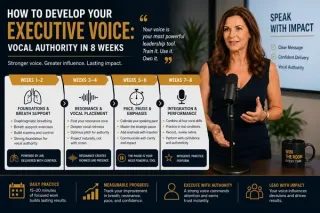
How to Develop Your Executive Voice: Vocal Authority in 8 Weeks
Develop your executive voice with this 8-week vocal authority program. Learn breath support, resonance, pace, pause, and practice routines for senior leaders. ...more
Improve Public Speaking Skills: Expert Tips by Lisa Hugo ,Corporate Communication Tips for CxOs & Executives
July 14, 2026•7 min read