Quick Answer: To create an evergreen webinar funnel, you need a compelling webinar presentation, a registration page, an automated webinar platform, a CRM, a follow-up sequence and a clear conversion process.
The basic process involves ten steps:
Define your ideal client and offer.
Choose a specific webinar topic and promise.
Create and record your webinar presentation.
Build a high-converting registration page.
Configure your automated webinar platform.
Connect registration to your CRM.
Set up confirmation emails and reminders.
Create a clear call to action and follow-up sequence.
Implement conversion tracking.
Test, launch and optimise the complete funnel.
Once configured, an evergreen webinar funnel can allow prospective clients to discover your expertise and watch your presentation without requiring you to deliver it live every time.
However, automation alone doesn't create clients. Your message, presentation, offer and follow-up must work together.
In this guide, I'll explain how to build that system, what to avoid and how to evaluate whether it's working.
What You'll Learn
In this guide, you'll discover:
What an evergreen webinar funnel is and how it works
How to plan your webinar before selecting software
How to create a presentation that leads naturally to your offer
What your registration and confirmation pages should include
How to configure webinar scheduling and attendee access
How to connect your webinar platform with a CRM
How to automate reminders and follow-up
How to track registrations, viewing, bookings and clients
How to test the complete system before launching
When to optimise an existing funnel instead of rebuilding it
What Is an Evergreen Webinar Funnel?
An evergreen webinar funnel is an automated marketing and client acquisition system built around a prerecorded webinar presentation that prospective clients can watch repeatedly or at scheduled times.
Unlike a traditional live webinar, an evergreen webinar doesn't require the presenter to be available for every session.
A visitor may discover the webinar through an advertisement, search result, email or social media post.
They register, receive access information and watch the presentation.
During or after the webinar, they're invited to take a relevant next step.
For coaches and consultants, that next step might be:
Booking an introductory consultation
Completing a qualification questionnaire
Applying for a coaching programme
Purchasing a course
Requesting a proposal
The CRM then manages the appropriate follow-up.
How an Evergreen Webinar Funnel Works
The typical journey looks like this:
Traffic → Registration Page → Webinar Registration → Confirmation & Reminders → Webinar Viewing → Offer → Application or Booking → Follow-Up → Client
Not everyone moves through the funnel in exactly the same way.
Some registrants won't attend their original session.
Others may watch part of the presentation and return later.
Some may book immediately, while others need additional information.
A well-designed evergreen webinar funnel accounts for these different behaviours.
Step 1: Define Your Ideal Client and Offer
Before building any technology, get clear about who your webinar is designed to attract and what you're offering them.
This is where I see many webinar strategies become unnecessarily complicated.
Business owners often start by choosing software, designing landing pages or recording presentations.
But none of those decisions can compensate for unclear positioning.
Start by answering five questions:
Who is my ideal client?
What specific problem are they trying to solve?
Why is that problem important to them?
What outcome does my service help them achieve?
What is the most appropriate next step after the webinar?
For example, an executive communication coach might target senior leaders who want to improve their presence during high-stakes presentations.
A business consultant might target established service businesses struggling to generate predictable qualified enquiries.
These audiences have different challenges and require different webinar messages.
Choose One Primary Offer
Your webinar should lead towards one clear next step.
That doesn't mean you can never offer different services.
It means the presentation should have a primary objective.
If you're selling a higher-value coaching or consulting engagement, the next step may be a qualification call rather than an immediate purchase.
If you're selling a lower-cost course, direct checkout may be appropriate.
The offer determines how the rest of your funnel should be structured.
Step 2: Choose a Webinar Topic That Attracts the Right Prospects
Your webinar topic should address a meaningful problem your ideal clients already recognise.
Avoid choosing a topic simply because it's broad or popular.
A webinar titled "Everything You Need to Know About Marketing" may attract curiosity but lacks a specific outcome.
A more focused topic might be:
"How to Turn Your Expertise Into a Webinar That Attracts Qualified Consulting Clients"
The second title identifies a more specific audience and result.
A Practical Webinar Topic Formula
Use this structure as a starting point:
How to [Achieve a Specific Outcome] Without [A Common Obstacle]
Examples:
How to Deliver Confident Executive Presentations Without Memorising Every Word
How to Attract Qualified Coaching Clients Without Constantly Posting on Social Media
How to Build a Repeatable Client Acquisition Process Without Relying Entirely on Referrals
The promise must accurately reflect what your webinar teaches.
Avoid exaggerated claims or guarantees that you cannot substantiate.
Match the Topic to Your Offer
The webinar should help viewers understand a problem and the approach required to solve it.
Your offer should provide a logical next step for people who want further support.
If the webinar topic and offer are disconnected, conversion will be difficult regardless of the technology.
Step 3: Create and Record Your Webinar Presentation
The webinar presentation is the central asset in your evergreen funnel.
Its purpose is to demonstrate expertise, create clarity and help viewers understand the value of your approach.
A strong presentation shouldn't simply overwhelm people with information.
It should guide them through a logical progression.
A Practical Webinar Structure
I recommend building your presentation around seven stages.
1. Opening
Explain who the webinar is for, what viewers will learn and why the topic matters.
2. The Problem
Describe the challenge your audience is experiencing.
3. A New Perspective
Introduce a useful way to understand or approach the problem.
4. Your Framework
Teach the main principles or steps involved in solving it.
5. Practical Application
Use relevant examples, demonstrations or scenarios.
6. The Offer Transition
Explain what it takes to implement the approach successfully and when additional support may be valuable.
7. The Call to Action
Make the next step clear and relevant.
For a detailed breakdown, read How to Structure a Webinar That Converts Viewers Into Clients.
Recording Your Webinar
You don't necessarily need an expensive studio.
You do need:
Clear audio
Good lighting
A distraction-free background
Readable presentation slides
A stable recording
Confident, engaging delivery
For coaches and consultants, your communication style is part of the value prospects are evaluating.
Speak naturally.
Use appropriate pauses.
Explain complex ideas clearly.
And make sure the presentation sounds like a genuine conversation rather than a script being read aloud.
Should You Record a Live Webinar First?
Often, yes.
Delivering your presentation live before automating it can help you understand:
Which explanations resonate
Where viewers become confused
Which questions arise
Whether the offer feels relevant
Whether people take the intended next step
You can use this feedback to refine the presentation before recording the evergreen version.
My recommendation is to validate the message and offer before investing heavily in automation.
Step 4: Build Your Evergreen Webinar Registration Page
Your registration page should communicate the value of attending and make registration straightforward.
It doesn't need to be complicated.
For many coaching and consulting webinars, the essential elements are:
A Clear Headline
Explain the outcome or insight viewers can expect.
A Supporting Subheadline
Identify who the webinar is for and why it matters.
Three to Five Learning Points
Describe what attendees will learn.
Focus on meaningful benefits rather than a list of generic topics.
Presenter Credibility
Include a short introduction explaining why you're qualified to teach the subject.
Use genuine experience and verifiable credentials.
A Simple Registration Form
Collect only the information you need at this stage.
For many webinars, first name and email address are sufficient.
Additional fields may be appropriate when qualification is part of the registration process.
A Clear Registration Button
Examples include:
"Reserve My Webinar Access"
"Watch the Webinar"
"Choose My Session"
The wording should reflect the actual viewing experience.
Mobile-Friendly Design
Check the page on different screen sizes.
Make sure the headline, form and registration button are easy to use.
Registration Page Tracking
Configure the appropriate analytics and conversion events.
Distinguish between landing page visits and completed registrations.
Don't count a button click as a successful registration unless the registration actually occurred.
Step 5: Choose and Configure Your Automated Webinar Platform
Your webinar platform needs to deliver the presentation reliably and support the scheduling, access and engagement features your funnel requires.
Popular options to evaluate include:
StealthSeminar
Upwebinar
Webinarjam/Everwebinar
eWebinar
Demio
The right choice depends on your business requirements.
For example, you may need:
Scheduled automated webinars
On-demand viewing
Attendee-local time zone scheduling
Custom branding
Unique attendee access links
Chat or AI-assisted engagement
Timed calls to action
Attendance tracking
CRM integration
For a detailed comparison, read How to Choose the Best Webinar Platform for Your Business.
Configure Your Webinar Sessions
Decide whether attendees should be able to:
Watch immediately
Select from several upcoming sessions
Attend at a recurring local time
Access a replay after missing a session
For example, you might offer a session at 7 PM in each attendee's local time zone.
However, your webinar platform must calculate the actual session time correctly.
Your CRM reminders must use that same session time.
Otherwise, registrants may receive incorrect reminders.
Configure the Webinar Call to Action
Decide when your offer should appear.
For a consultation-based funnel, the CTA may link to an application or booking page.
For a product-based funnel, it may link to checkout.
Test the CTA on both desktop and mobile.
Be Transparent About Automation
If your presentation is prerecorded, avoid creating a misleading impression that the presenter is interacting live.
The same applies to simulated chat activity.
AI-assisted chat can be useful, but it should be represented accurately.
Step 6: Connect Your Webinar Registration to Your CRM
Your CRM should become the central record of each prospect's journey through the webinar funnel.
For coaches and consultants, this is particularly important because a registration may lead to a consultation and sale several days or weeks later.
Your CRM should ideally store:
Contact name
Email address
Webinar registration status
Webinar name or identifier
Selected session date and time
Attendee-specific access link
Attendance status
Booking or application status
Purchase status
Traffic source, where available
Using GoHighLevel
If you're using GoHighLevel, you can build the landing page, registration form, CRM workflows, email sequences and booking process within the same system.
The webinar itself may be hosted on a separate platform.
Depending on the platform, the integration may use:
Native integrations
Zapier
Make
Webhooks
APIs
Avoid Double Registration
A common problem occurs when someone registers on your landing page and is then asked to register again on the webinar platform.
Ideally, your integration should create the webinar attendee automatically using the information already collected.
This is especially important for paid webinars.
Someone who has completed payment shouldn't have to enter the same information again unless there is a genuine operational requirement.
Preserve Attendee-Specific Access Links
Some webinar platforms generate unique access URLs for individual attendees.
Your integration must preserve the correct link for each contact.
Don't assume that a general webinar URL or manually constructed link will provide the same functionality.
Test registration with a brand-new email address and verify the actual attendee access link.
Step 7: Automate Confirmation Emails and Webinar Reminders
Registration confirmation and reminders are essential parts of the attendee experience.
The process should begin immediately after registration.
Registration Confirmation
Your confirmation should include:
Webinar title
Selected session date and time
Correct time zone
Attendee access link
Calendar option, where available
Clear support instructions
Webinar Reminders
For scheduled evergreen webinars, you might test:
One hour before the webinar
Fifteen minutes before the webinar
These are example intervals, not mandatory timings.
The important requirement is that reminders are based on the actual session time.
Avoid Conflicting Reminder Systems
If your webinar platform and CRM both send reminders, attendees may receive duplicate messages.
Decide which system is responsible for each communication.
For example:
Your webinar platform might manage attendee access, while GoHighLevel handles branded confirmation and reminder emails.
That arrangement can work, provided the correct attendee data and session time are available in the CRM.
Test Deliverability
Make sure the messages are actually reaching recipients.
Check:
Sending domain authentication
Spam and promotions placement
Correct personalisation
Working links
Mobile formatting
Unsubscribe handling where applicable
A workflow showing that an email was sent doesn't necessarily mean the attendee received it.
Step 8: Create Your Offer, Booking Process and Follow-Up
Your evergreen webinar needs a clear conversion path after the presentation.
For a coaching or consulting business, that may involve an application followed by a consultation.
For a course or digital product, it may involve direct checkout.
Create a Clear Offer Page
Explain:
Who the service is for
What problem it addresses
What the engagement involves
What happens next
Avoid unnecessary complexity.
Make Booking Easy
If the next step is a consultation, ensure that your calendar:
Displays available times correctly
Handles time zones
Sends confirmations
Creates the correct CRM record
Triggers appointment reminders
Build Behaviour-Based Follow-Up
I recommend separating contacts into at least three initial groups.
Attended but didn't book
Send relevant follow-up that reinforces the webinar's main insight and explains the next step.
Registered but didn't attend
Offer another viewing opportunity or replay when available.
Booked a consultation
Stop general booking-promotion emails and move the prospect into appointment preparation.
Once someone becomes a client, they should move into the appropriate onboarding process.
For the complete follow-up framework, read The Complete Webinar Follow-Up Strategy for Coaches and Consultants.
Step 9: Implement Webinar Funnel Conversion Tracking
Without reliable tracking, it's difficult to know whether your evergreen webinar funnel is producing meaningful business results.
At a minimum, track:
Traffic
Landing page visits
Traffic source
Advertising spend
Registration
Completed registrations
Registration conversion rate
Cost per registration
Viewing
Webinar starts
Viewing rate
Watch time
Audience retention
Conversion
CTA clicks
Applications
Booked consultations
Qualified opportunities
New clients
Financial Performance
Revenue attributed to the funnel
Advertising cost per client
Customer acquisition cost
Return on advertising spend, where relevant
Connect Your Analytics Systems
Depending on your setup, you may use:
Google Analytics 4
Google Ads conversion tracking
Meta Pixel and Conversions API
GoHighLevel reporting
Webinar platform analytics
Use consistent conversion definitions.
For example, a completed webinar registration should be tracked when registration succeeds, not simply when someone clicks the registration button.
Similarly, a booked consultation should be tracked when the appointment is confirmed.
For more information, read Webinar Funnel Conversion Rates: What Should You Measure?.
Step 10: Test Your Entire Evergreen Webinar Funnel Before Launch
Testing is one of the most important steps in building a reliable automated webinar funnel.
Don't test only the landing page or individual emails.
Test the complete journey.
Test 1: Registration
Visit your landing page as a new prospect.
Complete the form using an email address that isn't already in your CRM.
Confirm that the contact and webinar registration are created correctly.
Test 2: Webinar Access
Check the confirmation email.
Open the attendee-specific webinar link.
Verify that it leads to the correct session.
Test 3: Scheduling
Register for sessions in different time zones.
Check that the displayed times and reminder schedules match.
Test 4: Webinar Playback
Watch the presentation.
Check audio, video, slides, chat and interactive elements.
Test 5: Call to Action
Click the offer button.
Verify that it opens the correct application, booking or checkout page.
Test 6: CRM Updates
Confirm that attendance and relevant engagement information are recorded correctly.
Test 7: Follow-Up
Check that attendees and non-attendees enter the appropriate workflows.
Test 8: Booking or Purchase
Complete a test booking or purchase.
Verify that promotional follow-up stops and the correct confirmation or onboarding process begins.
Test 9: Mobile Experience
Repeat the key steps on a mobile device.
Test 10: Tracking
Verify that important conversion events are recorded once and attributed correctly.
Only launch paid advertising once the essential customer journey is working reliably.
How Long Does It Take to Build an Evergreen Webinar Funnel?
There is no universal timeline.
The time required depends on:
Whether your webinar presentation already exists
Whether your offer has been validated
The complexity of the registration process
The webinar platform you choose
CRM integration requirements
The number of automation workflows
Tracking and testing requirements
A simple funnel using existing assets may require substantially less work than a customised system involving multiple platforms, payment processing and advanced CRM automation.
The important objective is not to launch as quickly as possible.
It's to launch a system that works reliably and can be improved using real performance data.
How to Optimise Your Evergreen Webinar Funnel After Launch
Once your funnel is running, focus on the stages where suitable prospects are dropping out.
Low Registration Rate
Review the advertising message, landing page headline, webinar promise and traffic quality.
High Registrations but Low Viewing
Investigate confirmation delivery, access links, reminder timing and scheduling convenience.
Viewers Leaving Early
Review the opening, presentation relevance and pacing.
Good Engagement but Few Bookings
Investigate the offer transition, CTA and booking experience.
Booked Calls but Few Qualified Prospects
Review your audience targeting, qualification process and offer positioning.
Qualified Calls but Few Clients
Examine the sales process, offer suitability and expectations established during the webinar.
Avoid rebuilding the entire funnel when only one component needs improvement.
For a more detailed diagnostic approach, read Why Webinar Funnels Fail: 10 Common Mistakes and How to Fix Them.
Common Evergreen Webinar Funnel Mistakes
Mistake 1: Automating an Unproven Presentation
Automation can repeat a presentation, but it cannot make an unconvincing offer relevant.
Fix: Validate the message and offer before scaling.
Mistake 2: Choosing Software Before Planning the Funnel
This can create unnecessary technical limitations.
Fix: Map the customer journey and requirements first.
Mistake 3: Using Incorrect Webinar Access Links
Attendees may be unable to enter their session.
Fix: Test actual attendee-specific links.
Mistake 4: Sending Reminders at the Wrong Time
This is particularly problematic for international audiences.
Fix: Verify scheduling and time zone logic.
Mistake 5: Failing to Segment Follow-Up
Attendees, no-shows and booked prospects receive irrelevant messages.
Fix: Use behaviour-based CRM workflows.
Mistake 6: Tracking Registrations but Not Clients
The funnel may appear successful without generating profitable business.
Fix: Connect webinar performance with qualified opportunities and client acquisition.
Mistake 7: Changing Too Many Things at Once
You lose the ability to understand which changes improved results.
Fix: Prioritise one significant bottleneck at a time.
Final Thoughts: Build the System Around Your Expertise
An evergreen webinar funnel should make it easier for the right people to discover your expertise, understand your approach and explore working with you.
The technology is important, but it isn't the starting point.
Begin with your audience.
Create a compelling message.
Build a presentation that communicates your expertise clearly.
Make registration and viewing straightforward.
Connect your CRM, reminders and follow-up.
Then measure the outcomes that matter.
When these components work together, an evergreen webinar can become a repeatable part of your client acquisition strategy without requiring you to deliver every presentation personally.
Want Help Creating Your Evergreen Webinar Funnel?
If you're developing your webinar message, presentation and client acquisition strategy, explore the Influential Voice Accelerator.
If you'd prefer a professionally implemented system that includes landing pages, webinar platform integration, CRM automation, follow-up and tracking, learn more about our Done-For-You Webinar Funnels.
You can also read our Complete Guide to Webinar Funnels for an overview of how the entire system works.
About the Author
Lisa Hugo is a communication and webinar strategy specialist with more than two decades of experience helping executives, entrepreneurs and experts communicate with clarity and impact.
As co-founder of Audacia Marketing Management LLC, Lisa combines communication expertise with practical webinar marketing and client acquisition strategies for coaches, consultants and expertise-based businesses.
Frequently Asked Questions
What is an evergreen webinar funnel?
An evergreen webinar funnel is an automated marketing system that allows people to register for and watch a prerecorded webinar, then guides them towards an appropriate next step such as booking a consultation or purchasing a product.
How do I create an evergreen webinar funnel?
Start by defining your ideal client and offer. Create your webinar presentation, build a registration page, configure an automated webinar platform, connect your CRM, set up reminders and follow-up, implement tracking and test the complete process.
Do evergreen webinars really work?
They can be effective when the webinar addresses a relevant problem, attracts suitable prospects and presents a compelling next step. Results depend on the audience, message, offer, automation and follow-up.
What is the best platform for an evergreen webinar funnel?
The best platform depends on your scheduling, automation, engagement, CRM integration and tracking requirements. Platforms worth evaluating include StealthSeminar, Upwebinar, Everwebinar, eWebinar and Demio.
Can I build an evergreen webinar funnel with GoHighLevel?
Yes. GoHighLevel can manage landing pages, forms, CRM workflows, email automation, calendars and sales processes. Depending on your webinar delivery requirements, you may connect a specialised webinar platform.
Do I need to record a live webinar first?
Not necessarily, but testing the presentation live can help validate the message, identify common questions and improve the offer before automation.
Can an evergreen webinar run at 7 PM in each attendee's time zone?
Potentially, yes, if your webinar platform supports attendee-local scheduling. Your registration and reminder systems must use the correct session information. Test this across different time zones before launching.
How many emails should an evergreen webinar funnel include?
There is no fixed number. You'll typically need a registration confirmation, appropriate reminders and a follow-up sequence tailored to attendee behaviour. The frequency should reflect your audience and offer.
How much does it cost to build an evergreen webinar funnel?
Costs depend on the webinar platform, CRM, landing pages, automation tools, advertising, integrations and implementation requirements. Compare the total operating cost rather than focusing on one software subscription.
How do I measure evergreen webinar conversions?
Track landing page visits, registrations, webinar viewing, engagement, applications, booked consultations, qualified opportunities and clients acquired. Use consistent definitions and connect the data to acquisition costs and revenue.
Should I build my evergreen webinar funnel myself or hire an expert?
That depends on your technical skills, available time and the complexity of the system. A simple funnel may be manageable independently, while a customised setup with CRM integration, automation and tracking may benefit from specialist implementation.
Looking for Lisa's executive communication coaching, public speaking training or corporate programmes?


Helping coaches, consultants and experts turn their expertise into clients through webinars, strategic communication and smart marketing systems.
WEBINAR MARKETING
PROGRAMS
LISA HUGO
Copyright © 2026 Audacia Marketing Management LLC, All rights reserved.
Privacy Policy : Terms of Use : Cookie Policy : Refund Policy



She’s helped 1000s of clients around the world to develop their speaking skill with her 1 : 1 coaching and powerful programs, each centered on a different aspect of speaking, including confidence, voice, presentation, and body language.
COMPANY
LEGAL
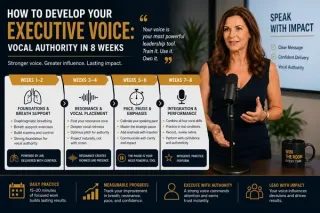
How to Develop Your Executive Voice: Vocal Authority in 8 Weeks
Develop your executive voice with this 8-week vocal authority program. Learn breath support, resonance, pace, pause, and practice routines for senior leaders. ...more
Improve Public Speaking Skills: Expert Tips by Lisa Hugo ,Corporate Communication Tips for CxOs & Executives
July 14, 2026•7 min read