A webinar funnel can help coaches, consultants and experts attract prospects, demonstrate their expertise and convert qualified attendees into clients. But how much does it cost to build and run one?
The answer depends on your technology stack, whether the webinar is live or automated, how you qualify leads and whether you build the system yourself. A lean setup can use one integrated CRM and a webinar platform. A modular setup might require separate software for funnels, email, scheduling, surveys, contracts and integrations.
This guide breaks down the components, compares three illustrative annual budgets and explains where costs can accumulate.
Important: Software prices and features change. Confirm current plan details with each vendor before purchasing. All amounts below are in US dollars unless stated otherwise.
1. What Are You Actually Paying For?
A complete webinar funnel typically includes:
A webinar registration landing page
A CRM to store and manage leads
A live or automated webinar platform
Registration confirmation and reminder emails
Post-webinar follow-up sequences
A conversion step, such as a checkout or consultation booking
For high-ticket coaching and consulting programmes, the funnel may also require application questionnaires, qualification scoring, automated disqualification, contracts and onboarding workflows.
The total investment generally falls into five categories:
Software subscriptions: Recurring charges for your CRM, webinar platform and any additional tools.
Usage-based charges: Email delivery, SMS, WhatsApp, AI services, payment processing and other variable expenses.
Implementation: Strategy, copywriting, page design, automation, integrations and testing.
Advertising: The budget required to attract relevant prospects.
Ongoing optimisation: Monitoring performance, maintaining integrations and improving conversions.
The software subscription alone does not build a functioning client acquisition system.
2. CRM and Funnel-Building Platforms
Your CRM is often the foundation of the entire webinar funnel.
Depending on the platform and subscription plan, it may include landing pages, forms, contact management, sales pipelines, email automation, calendars, payments, qualification surveys and contracts.
Popular CRM and funnel platforms
| Platform | Why Consider It | What to Check |
|---|---|---|
| GoHighLevel | Integrated CRM, funnels and workflows | Usage charges, calendars, surveys and contracts |
| Kartra | Marketing and selling in one platform | Plan limits, email, checkout and integrations |
| ClickFunnels | Funnel and checkout-focused platform | CRM and automation capabilities by plan |
| Keap | CRM and follow-up automation | Contact tiers, forms, appointments and integrations |
| Zoho | Flexible business software ecosystem | Whether separate Zoho products are required |
| Kajabi | Courses, coaching and digital products | Funnel, email and appointment capabilities |
How much does a CRM cost?
As a reference, GoHighLevel Starter costs $97 per month when billed monthly, equivalent to $1,164 over 12 months.
Other providers offer different pricing tiers, billing arrangements and feature packages.
The most important consideration is not simply the headline subscription price.
It is how many separate tools the platform allows you to eliminate.
For example, a CRM that already includes scheduling, qualification surveys, automated emails and electronic contracts may save you from paying for four additional subscriptions.
Cost-saving tip: Before purchasing additional software, create a checklist of the features already included in your CRM.
3. Webinar Platform Costs: Live vs Evergreen
Your webinar platform is responsible for delivering the presentation.
Depending on the provider, it may also handle registration, time-zone scheduling, attendance tracking, chat, polls, offers and automated replay functionality.
Popular webinar platforms
| Platform | Typical Focus | Key Consideration |
|---|---|---|
| Zoom Webinars | Live webinars | Webinar add-on and attendee capacity |
| Demio | Live and automated formats | Features and attendee limits by plan |
| StealthSeminar | Automated and evergreen webinars | CRM integration and unique attendee links |
| Upwebinar | Automated webinars | Free during beta; future pricing may change |
| eWebinar | Interactive automated webinars | Usage and automation allowances |
| WebinarJam | Live webinars | Event limits and plan inclusions |
| EverWebinar | Evergreen webinars | Monthly versus longer-term billing |
A particularly affordable option: Upwebinar
Upwebinar is currently available free of charge during its beta phase.
Combined with an integrated CRM, this makes it an interesting option for coaches and consultants who want to minimise recurring software expenses.
However, free beta access should not be confused with a guaranteed long-term pricing arrangement.
Before using a beta platform for paid advertising campaigns, verify:
Registration and attendee access links
Time-zone-aware webinar scheduling
Reminder delivery
CRM integration
Attendance tracking
Chat and engagement features
Reliability under expected attendee volumes
Some webinar packages also combine live and evergreen capabilities. Always check the current package inclusions before purchasing overlapping subscriptions.
For a detailed comparison, read our guide to choosing the best webinar platform.
4. Appointment Scheduling Software
If your webinar is designed to generate consultation calls, you need a reliable appointment booking system.
Tools such as Calendly allow prospects to select an available time, receive confirmation emails and manage their appointments.
However, many CRM platforms already provide scheduling functionality.
Before paying for a separate calendar tool, check whether your CRM can:
Display available appointments
Detect the visitor's time zone
Prevent double bookings
Send confirmations and reminders
Update the sales pipeline
Restrict bookings to qualified applicants
For a high-ticket coaching or consulting funnel, that final capability is especially important.
If your CRM already provides everything you need, a separate Calendly subscription may be unnecessary.
5. Pre-Call Qualification Surveys and Automated Disqualification
For businesses selling premium coaching or consulting programmes, the objective is not simply to generate more appointments.
It is to generate more qualified appointments.
A pre-call qualification survey helps identify whether an applicant is a suitable prospect before allowing them to book a consultation.
Popular options include:
What should an automated qualification system do?
Ideally, the system should:
Collect information about the applicant's business, goals, challenges and readiness to invest.
Evaluate responses against predefined qualification criteria.
Identify suitable and unsuitable applicants.
Redirect unsuitable applicants to an alternative page.
Allow qualified applicants to book a consultation.
Transfer the application details and qualification result into the CRM.
Trigger the appropriate follow-up sequence.
Not every survey platform can complete this entire process independently.
Some provide conditional logic and scoring, while others require an additional integration or CRM workflow.
It is also important to understand that hiding a calendar link from unsuitable applicants does not necessarily prevent them from accessing it directly.
A robust qualification system should control the booking process rather than relying solely on page redirects.
Cost-saving opportunity: If your CRM already supports surveys, conditional workflows and calendars, you may not need Typeform or another standalone survey platform.
6. Email Marketing and Autoresponder Costs
Email automation is essential to a webinar funnel.
A typical sequence includes registration confirmations, webinar reminders, attendance-based follow-up, offer reminders, application invitations and appointment notifications.
Popular standalone email marketing platforms include AWeber and Mailchimp.
Their costs can depend on the number of contacts, sending limits, automation features and subscription plan.
However, if your CRM already includes suitable email automation, a separate autoresponder may duplicate functionality.
You should also distinguish between the cost of the marketing software and the cost of sending emails.
Some platforms charge separately for email delivery, SMS, WhatsApp or other communications.
Deliverability matters too. A low-cost email system is not particularly useful if your messages fail to reach subscribers.
7. Webinar Recording and Video Production
An evergreen webinar needs a recorded presentation.
Depending on your requirements, you may use Loom, Zoom or dedicated screen-recording and editing software.
A simple slide presentation with a camera overlay may require very little additional software.
A more elaborate production involving professional editing, multiple cameras, graphics and captions can increase the cost considerably.
Before subscribing to a recording platform, check whether the tools you already own can produce the video and audio quality you need.
Remember that recording the presentation is only part of the process.
The webinar must also be structured to engage viewers and guide them towards the intended next step.
Read How to Structure a Webinar That Converts Viewers Into Clients.
8. Coaching Agreements and Electronic Signatures
If your webinar funnel generates applications for coaching or consulting programmes, you may need to send an agreement before collecting payment or granting access.
DocuSign and similar services can send, track and manage electronically signed agreements.
However, some CRM platforms already include contract templates and electronic-signature functionality.
Before purchasing a separate contract tool, check whether your CRM can:
Generate agreements from templates
Automatically insert client details
Send agreements for electronic signature
Track whether agreements have been signed
Send reminders for unsigned agreements
Trigger payment or onboarding workflows after signing
Connecting agreements to the sales process can reduce administrative work and prevent delays.
Depending on your business and jurisdiction, legal advice may also be appropriate.
9. Integration and Automation Software
When you use several different platforms, you may need additional software to connect them.
Popular options include Zapier and Make.
For example, an integration might:
Register a customer for a webinar after checkout
Transfer webinar attendance data into the CRM
Trigger different follow-up sequences based on attendance
Update an applicant's qualification status
Send a coaching agreement after approval
Start onboarding after payment
Integration services may charge based on tasks, operations or usage allowances.
Before subscribing, check whether the required systems already offer native integrations.
Every additional connection introduces another component that needs testing and maintenance.
10. Best-Case vs Worst-Case Annual Webinar Funnel Software Costs
One of the biggest budgeting mistakes is looking at individual monthly subscriptions rather than the total annual expense.
Let's compare three illustrative setups.
These examples cover base software subscriptions only. They exclude advertising, implementation, taxes, payment processing and variable usage charges.
Scenario 1: Best Case — GoHighLevel + Upwebinar
Ideal for: Coaches and consultants who want to operate an automated webinar funnel with minimal recurring software expenses.
| Component | Monthly Cost | Annual Cost |
|---|---|---|
| GoHighLevel Starter, billed monthly | $97 | $1,164 |
| Upwebinar, free beta | $0 | $0 |
| Funnel pages and CRM | Included | $0 additional |
| Email automation | Included | $0 additional |
| Appointment scheduling | Included | $0 additional |
| Qualification surveys | Included | $0 additional |
| Contracts and e-signatures | Included | $0 additional |
| Total Base Subscriptions | $97 | $1,164 |
Assumes 12 monthly payments of $97. Upwebinar is currently free during beta. Excludes usage charges, advertising, implementation, payment processing and taxes.
This is the lowest-cost example in our comparison.
The combination is attractive because GoHighLevel provides much of the funnel infrastructure, while Upwebinar currently provides webinar delivery without an additional subscription fee.
However, Upwebinar is still in beta. Its pricing, features and availability may change.
GoHighLevel may also charge separately for email delivery, messaging and other usage-based services.
The integration between the two platforms should be tested before launching paid campaigns.
Scenario 2: Mid-Range — Integrated CRM with Paid Evergreen Webinar Software
Ideal for: Businesses that want an integrated CRM but prefer a paid evergreen webinar platform.
| Component | Illustrative Annual Cost |
|---|---|
| GoHighLevel Starter, assumed annual-plan pricing | $970 |
| Paid evergreen webinar platform, assumed annual-plan pricing | $1,188 |
| Scheduling, surveys and email automation | Included in CRM |
| Total Base Subscriptions | $2,158 |
Illustrative annual-billing assumptions, not a verified current vendor quotation. Confirm pricing, plan features and billing terms before purchasing.
This example uses illustrative annual-plan pricing assumptions. Verify current plan availability, billing terms and feature inclusions before purchasing.
The main difference from Scenario 1 is the paid webinar delivery platform.
A higher subscription cost does not automatically produce better results. The right choice depends on the features, integrations and reliability your business requires.
Scenario 3: High-Cost Case — Fragmented Software Stack
Ideal for: Illustrating the potential expense of combining multiple standalone tools.
| Component | Illustrative Annual Budget |
|---|---|
| CRM and funnel software | $2,400 |
| Webinar platform | $2,388 |
| Separate email marketing software | $1,200 |
| Appointment scheduling | $120 |
| Qualification surveys | $600 |
| Contracts and electronic signatures | $600 |
| Recording and video software | $240 |
| Integrations and automation | $1,200 |
| Total Annual Software Budget | $8,748 |
Illustrative planning allowances rather than a verified vendor bundle. Excludes advertising, implementation, taxes and usage charges.
These are planning allowances, not a verified quotation from a particular combination of vendors.
The purpose is to demonstrate what can happen when a business pays for separate tools that may duplicate features already available in its CRM.
Annual cost comparison
| Setup | Annual Base Cost | Monthly Equivalent |
|---|---|---|
| GHL + Upwebinar (beta) | $1,164 | $97 |
| Integrated paid evergreen | $2,158 | About $180 |
| Fragmented software stack | $8,748 | $729 |
Illustrative base subscription budgets only. Excludes advertising, implementation and variable charges.
The illustrative difference between the lean and fragmented setups is $7,584 per year.
That does not mean the least expensive system is automatically the best choice.
Reliability, functionality, integration quality and business requirements matter more than the subscription price alone.
Annual Webinar Funnel Software Costs
Illustrative annual budgets in US dollars
Software subscriptions only. The fragmented scenario uses illustrative budgeting allowances. Upwebinar is currently free during beta, and future pricing may change. Advertising, implementation, usage charges and taxes are excluded.
11. Calculate Your Own Annual Webinar Funnel Cost
A useful starting formula is:
Annual software cost = 12 × monthly software and usage charges
Adjust this calculation for any actual annual billing discounts or prepaid subscriptions.
Then calculate your first-year investment:
First-year total budget = annual software + annual advertising + annual support + one-time implementation
For example, if you use the lean $1,164 software setup and spend $1,000 per month on advertising:
Annual software subscriptions: $1,164
Annual advertising: $12,000
Combined annual cost: $13,164
That excludes implementation, usage-based charges, payment processing and other expenses.
Webinar Funnel Cost Calculator
Enter your estimated monthly expenses to calculate your annual software cost and total first-year budget.
Illustrative calculations in USD. Excludes taxes and payment processing. Annual billing discounts are not automatically applied.
12. Hidden Costs That Are Easy to Overlook
Even a relatively inexpensive software stack can become costly if it is poorly configured or requires excessive manual work.
Overlapping subscriptions
You may be paying for scheduling, email automation, qualification surveys or contracts that your CRM already provides.
Usage-based charges
Email delivery, SMS, WhatsApp, AI tools, additional contacts and premium integrations may generate charges beyond the advertised subscription price.
Integration failures
Imagine someone purchases a webinar ticket but never receives the correct access link.
Or a qualified applicant completes a questionnaire but is never directed to the booking calendar.
These problems can create customer-service work and lost conversion opportunities.
Email deliverability
Authentication, domain reputation and monitoring require attention even when the email platform itself is inexpensive.
Testing and maintenance
Someone must verify that registrations, reminders, time zones, attendance tracking, qualification rules, contracts and payment workflows continue to function.
Strategy and copywriting
Software cannot create a compelling offer, persuasive webinar presentation or effective follow-up strategy by itself.
13. DIY vs Done-for-You Webinar Funnel Implementation
Building your own webinar funnel may make sense if you have the time, technical experience and confidence to manage the entire process.
However, a complete funnel involves more than connecting a registration page to a webinar.
It requires:
Audience and offer strategy
Conversion-focused copywriting
Landing page design
Webinar structure and messaging
CRM configuration
Automation workflows
Application and qualification logic
Analytics and conversion tracking
End-to-end testing
A done-for-you implementation can be appropriate for coaches and consultants who would rather focus on delivering their expertise than assembling and maintaining marketing technology.
Professional implementation fees vary according to the scope and complexity of the project.
When comparing providers, ask what is included, who owns the assets, which platforms are used, how integrations are tested and what ongoing support is available.
Explore our Done-for-You Webinar Funnel Services.
14. Measure Returns, Not Just Software Spending
The objective of a webinar funnel is not simply to collect the maximum number of registrations.
For premium coaching and consulting offers, qualified appointments and acquired clients are more meaningful measures of success.
Important metrics include:
Cost per registration
Registration-to-attendance rate
Application rate
Qualified application rate
Appointment booking rate
Appointment show rate
Customer acquisition cost
Revenue generated from acquired clients
A low-cost funnel that consistently attracts unsuitable prospects may be less valuable than a more expensive system that generates qualified opportunities.
For additional guidance, read Webinar Funnel Conversion Rates: What Should You Measure? and The Complete Webinar Follow-Up Strategy.
Final Thoughts: Build the System You Need, Not the Biggest Software Stack
The most cost-effective webinar funnel is not necessarily the one with the most features or the fewest subscriptions.
It is the system that reliably moves the right prospects from registration to attendance, qualification and the next step without unnecessary complexity.
For coaches, consultants and experts, the goal is not simply to generate registrations. It is to build a repeatable process for attracting and converting qualified client opportunities.
If you would rather focus on serving clients than assembling software, explore our Done-for-You Webinar Funnel Services.
Stop piecing together disconnected tools. Start building a webinar funnel designed around your business.
Frequently Asked Questions
How much does a webinar funnel cost per year?
It depends on your software and marketing setup. Our illustrative GoHighLevel and free-beta Upwebinar example costs $1,164 annually in base subscriptions. A fragmented software setup can cost considerably more. Advertising, implementation and usage charges are additional.
Can I build a webinar funnel for $97 per month?
Potentially. GoHighLevel Starter costs $97 per month on monthly billing, while Upwebinar is currently free during beta. This assumes both platforms meet your requirements and excludes usage charges and implementation work.
Is Upwebinar permanently free?
Do not assume so. Its free availability is associated with its current beta phase, and pricing or functionality may change.
Do I need a separate CRM and webinar platform?
You need the required CRM and webinar delivery capabilities, but these do not necessarily require separate subscriptions. Compare the actual features and integrations of your chosen platforms.
Do I need Calendly if my CRM already has a calendar?
Usually not, provided your CRM supports the scheduling, reminders and qualification requirements of your funnel.
Can a qualification survey automatically disqualify applicants?
Yes. With suitable conditional logic, CRM workflows and controlled booking access, unsuitable applicants can be redirected while qualified prospects proceed to the calendar.
Do I need Mailchimp or AWeber if my CRM sends automated emails?
Not necessarily. Check the CRM's automation capabilities, deliverability requirements, sending limits and usage charges before adding another subscription.
Do I need DocuSign for coaching agreements?
Only if your existing platform lacks suitable contract and electronic-signature functionality or you require specialised features.
Do I need Zapier or Make?
Only when the systems you use cannot exchange the required information reliably through native integrations or existing workflows.
Are evergreen webinars cheaper than live webinars?
Not automatically. Subscription pricing, attendee capacity, recording effort and automation requirements vary. Evergreen webinars can reduce repeated presentation time but may require more initial setup.
Does the annual budget include advertising?
Not unless explicitly stated. Advertising should be budgeted separately alongside implementation, support and usage-based charges.
Is the cheapest webinar funnel software stack always best?
No. The right solution depends on reliability, required features, integrations and the ability to provide a smooth customer journey.
Looking for Lisa's executive communication coaching, public speaking training or corporate programmes?


Helping coaches, consultants and experts turn their expertise into clients through webinars, strategic communication and smart marketing systems.
WEBINAR MARKETING
PROGRAMS
LISA HUGO
Copyright © 2026 Audacia Marketing Management LLC, All rights reserved.
Privacy Policy : Terms of Use : Cookie Policy : Refund Policy



She’s helped 1000s of clients around the world to develop their speaking skill with her 1 : 1 coaching and powerful programs, each centered on a different aspect of speaking, including confidence, voice, presentation, and body language.
COMPANY
LEGAL
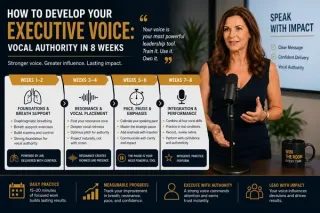
How to Develop Your Executive Voice: Vocal Authority in 8 Weeks
Develop your executive voice with this 8-week vocal authority program. Learn breath support, resonance, pace, pause, and practice routines for senior leaders. ...more
Improve Public Speaking Skills: Expert Tips by Lisa Hugo ,Corporate Communication Tips for CxOs & Executives
July 14, 2026•7 min read